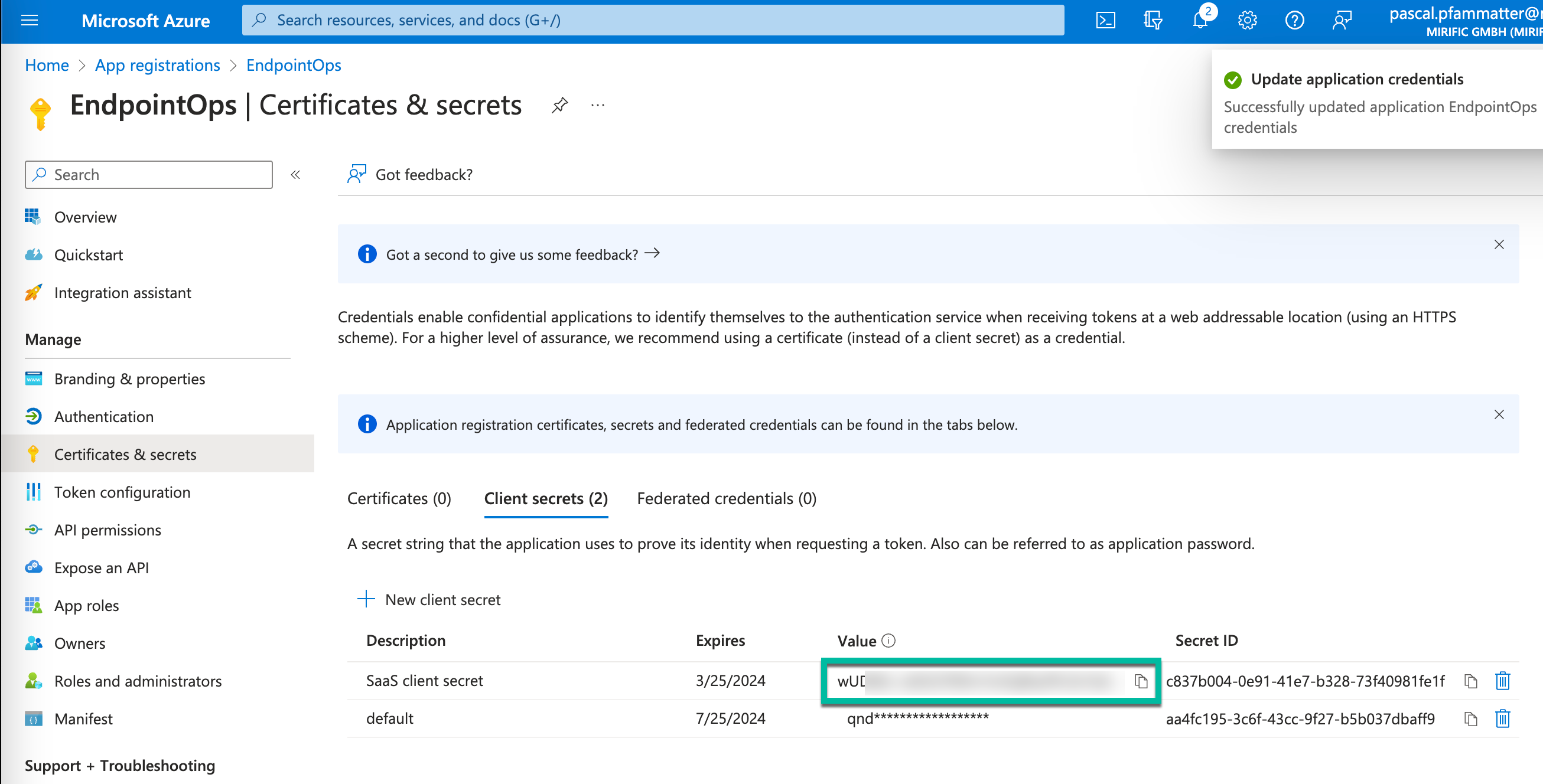
Upload a certificate or create a client secret
EndpointOps supports both certificates and client secrets. Certificates can be created on your side and provided to Mirific over a secure channel or generated on the Mirific side and sent to you in an encrypted way.
Alternatively, client secrets can be created with the instructions below.
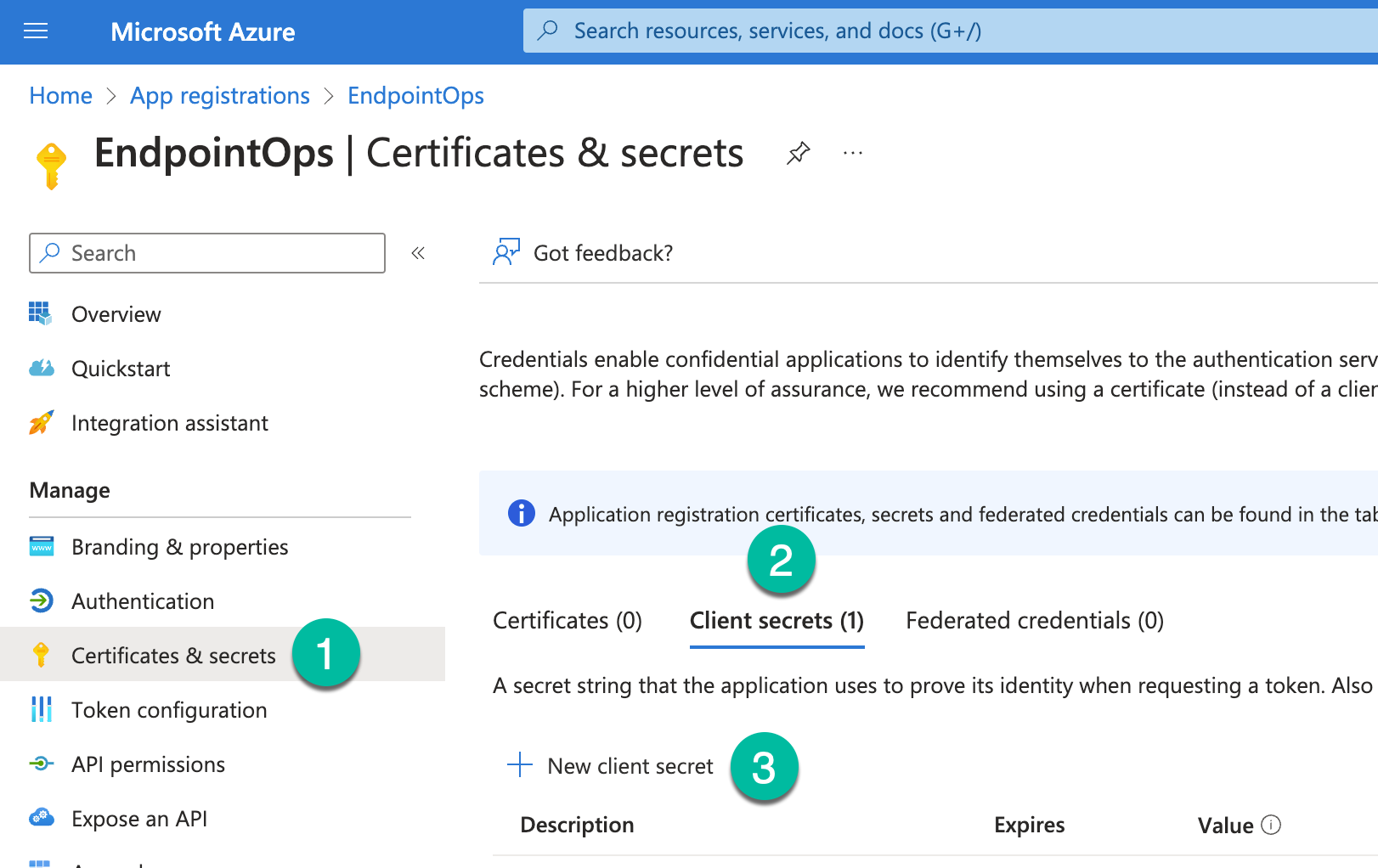
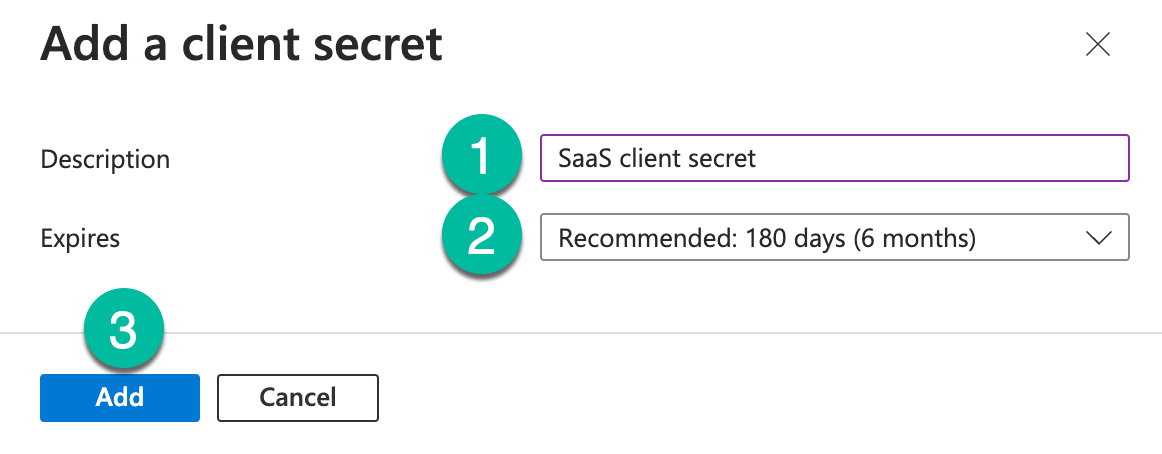
- Enter the name SaaS client secret or something equivalent
- Select the latest expiration option in accordance with your organizational guidelines
Save the newly created client secret withand transfer the othersecret informationthrough yousecure collected earlier for later submissionmeans to Mirific.
This is the only time you can see the client secret in the Azure Portal. Please store this information safely for later usage.use, Handlehandling this informationit like a password.
Please make note of the expiration date of your client secret in your calendar. This secret must be renewed before expiration to avoid application downtime.